
CozyWorld game guide · By CozyWorld
This guide covers our own game, written from the current game rules and browser checks.
Carrot Pop: Pick the Carrots, Let the Moles Peek
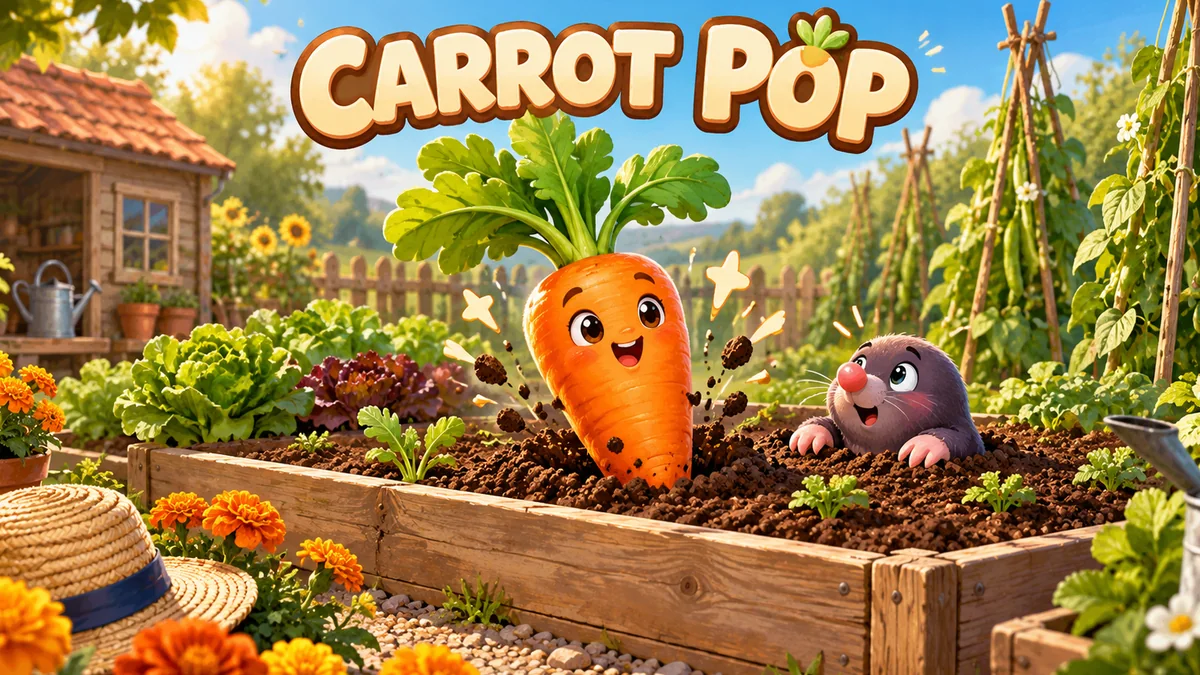
Orange roots and green leaves mean tap. Purple ears and paws mean wait. Gather 20 carrots, then start a fresh garden inside the board.
Carrot Pop is our nine-hole garden reaction game. Pop 20 orange carrots before four mistakes, while letting friendly purple moles peek undisturbed. There is one carrot to find at a time. Start with spotting the right shape; faster catches can come later.
Find the leaves before you tap
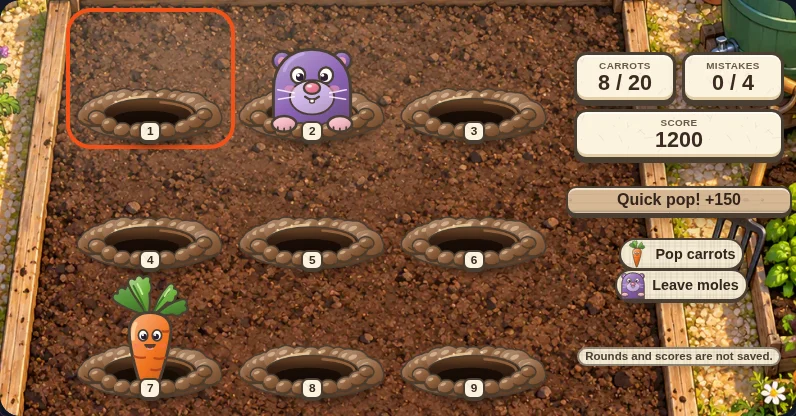
Press Start popping inside the board. Watch the nine holes for an orange root with green leaves. Tap or click its hole before the carrot disappears. No dragging or hover is needed. A successful pop removes that carrot immediately, so tapping it twice cannot collect twice.
A purple mole has ears and paws instead of a leafy root. Leave it alone until it disappears. When a mole appears alongside a carrot, they occupy different holes: you can always collect the carrot without tapping the mole. From the tenth carrot, a mole often pops up a quarter of a second before its carrot, so the first thing you see may be the decoy. Wait for the green leaves.
Count catches and mistakes separately
A missed carrot or a tapped mole adds one mistake. The fourth mistake ends play. Ignoring a mole costs nothing, and tapping an empty hole costs nothing, but it does not collect a carrot either. Mistakes do not subtract points you already earned.
Each carrot earns 100 points, or 150 if popped within 450 milliseconds of appearing. Both count as one catch toward 20. Each round offers the same 23-carrot sequence, so up to three missed carrots still leave enough to finish if no other mistakes end the round. The first half keeps a gentle pace. From the tenth carrot the appearances get quicker, and each carrot remains available for at least 0.8 seconds.
Use the controls that suit you
Keyboard numbers 1–9 match the visible hole labels across the three rows. Arrow keys move focus between holes; Enter or Space activates the focused button. Touch and mouse players can tap the target directly. Sound is optional and is not needed to tell carrots from moles.
The toolbar offers pause, help, restart and fullscreen. Pause freezes the round. Reduced motion removes decorative animations, but targets still appear and disappear: this remains a game of visual recognition and timed reactions. Local automated checks covered six desktop, phone and tablet layouts with browser input and touch emulation. Physical devices were not tested.
Aim for a higher score
A completed round is worth 2,000 points for 20 catches, plus 50 for each quick pop, so the maximum is 3,000. Seventeen quick pops and three later catches give 2,850; ten of each give 2,500. These examples are calculated from the rules. A late carrot is still worth catching for 100: protect the catch first and chase the bonus second.
A 3,000 score does not have to mean zero mistakes, because mistakes never deduct points. Up to three missed carrots or mole taps can happen before 20 quick catches, as long as a fourth mistake does not end play. Since every replay uses the same sequence, pick one small aim for the next round, such as fewer mole taps or more quick pops, and watch the part of the board where you hesitated. Tapping before a carrot appears earns nothing.
Finish, replay, or take a break
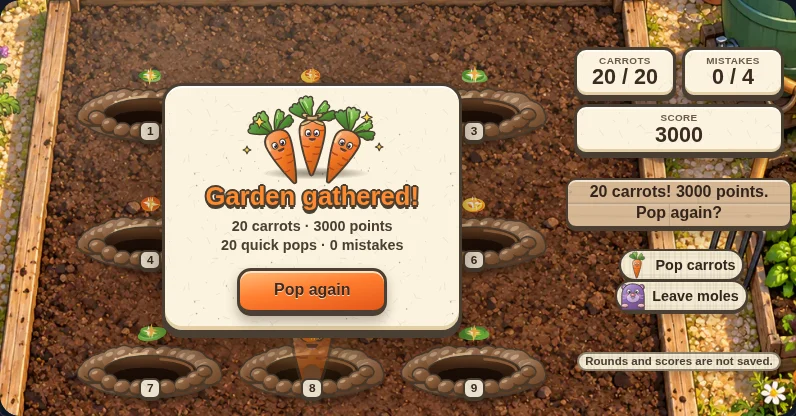
The twentieth catch finishes the round immediately. The result shows carrots, points, quick pops and mistakes. Pop again starts a fresh round from that screen; toolbar restart returns to the ready screen.
Rounds and scores are not saved. Reloading or returning later starts at the ready screen, with no stored best score. Keep the tab open and use pause if you want to return to the current round.
Pick another garden
Press Pop again for a fresh round with the same carrot sequence. For the next challenge, aim for more quick pops than last time. Orchard Catch offers another small harvest if you would rather steer a basket beneath falling fruit.
More guides and roundups
Catch the glowing fruit your market crate needs, let spare fruit fall when you must choose, and step away from red shadows before a bee or burr lands.
Quick Free Games to Play When Bored at WorkSeven free browser games for a short break: rounds of about 30 seconds to five minutes, a pause button or no timer, and sound you can leave off. Here is how each one handles rounds, sound, pause and saving.
Starlight Launch: Read the Clues, Beat the FoxCatch three glowing digits, read what the lock tells you, and let the colors do the bookkeeping. Here is how the clues, the race and the helpers work.
Best Cozy Halloween Games to Play in 2026Friendly ghosts, glowing lanterns and a pumpkin patch that keeps growing. Start with three free CozyWorld games in your browser, then pick a longer cozy Halloween game.